Variables
Variables are the values for the calculations, which can be
at different positions of the calculation. Eg.: Cycle time can
be a cycle time for a machine, but also for a manual operation
to calculate the labour cost. You do not need to define
separate cycle time variable, you can use it in the
calculation as a variable name for both cost element
calculation.
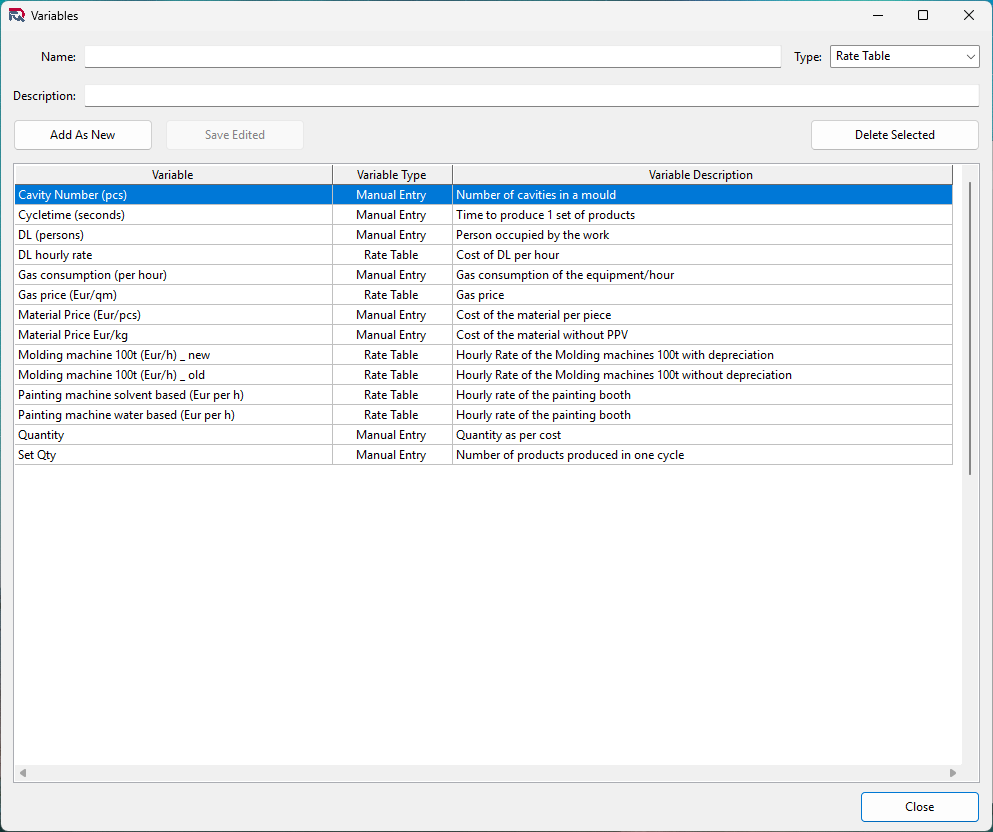
The variables definition form is this.
Variable types
There are two types of variables:
- Manual Entry - These variables need to be entered
in the price/cost calculation manually.
- Rate Table - These variables are pulled from the rate table, base on the price/cost calculation date.
Creating New Variable
To create a new variable, type the name and description to
the fields at the top of the form then select the type of the
variable. Once these are set, click on the Add As New button.
If the name of the new variable already exists the new
variable cannot be saved.
Editing existing variable
To edit an existing variable, select it from the list of
variables and double click on it. The variable will appear in
the name, description and the variable type fields at the top
of the form.
You can edit the name and variable type, when the variable is
not used in a calculation yet. The description can be edited
at any time.
If you try to edit a variable name or variable type, which
already used in a calculation model, the application will not
allow the change.
Deleting a variable
To delete a variable, select it from the list of cost
elements and click on the Delete Selected button. If the
variable is not used in any model, it will be deleted.