Quote Models
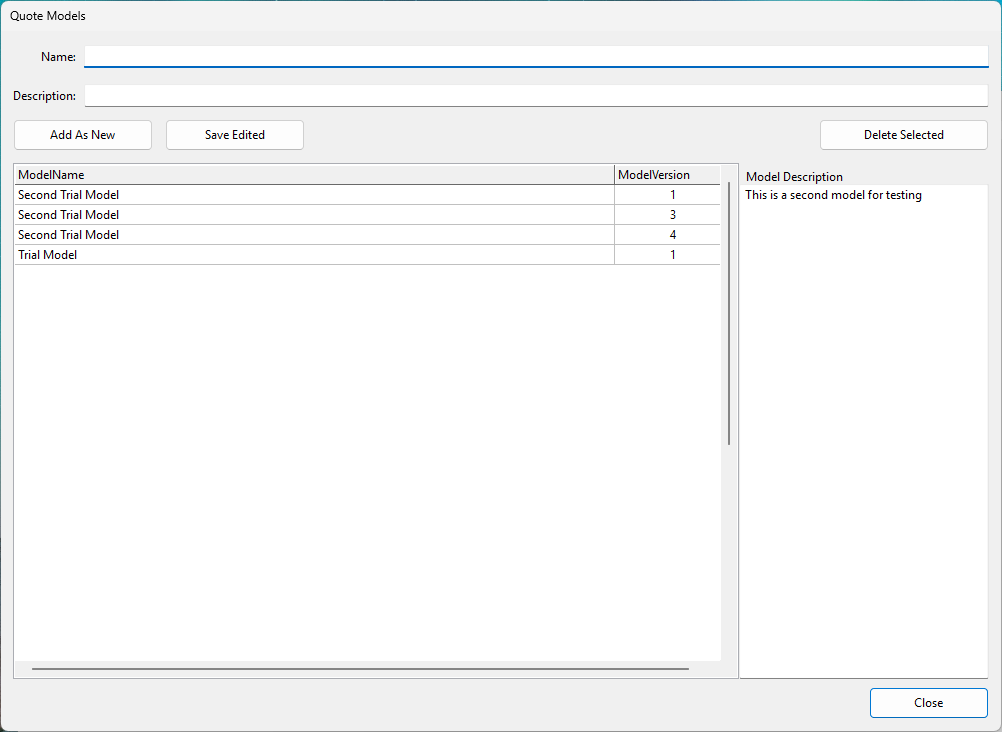
With the quote
models form you can create new quote models or new model
revisions.
Adding a new quote model
To add a new quote model, type the name and description into
the name and description fields and press the Add As New
button. If the given name does not exist in the database the
model name is created with version 1. If it exists, the system
will create a new version with the lowest available version
number.
Editing an existing model name or description
To edit an existing model name or description, double click
on the model from the list of models. This will copy the model
name and description into the name and description field and
you can edit them. Once ready, click on the Save Edited
button.
Deleting a quote model name
You can select a quote model name from the list and click on
the Delete Selected button. If the model name is not used in
any quote model, then the application will delete the quote
model name. Otherwise it will not allow the deletion, until a
quote model is not deleted.
Note! The delete and update actions are not
reversible so what is changed or deleted cannot be undone.