Cost Elements
Cost elements are the elements you want to separately see in
your actual financial results. To setup your cost structure
you should think about how detailed you want to track your
costs and how you want to present them in your calculations.
On the calculation models you can use these cost elements on
two ways. Either these are calculated values which are part of
the quoted price or calculated backward as portion of the
quote element, but only calculated to present the value in the
calculation.
Cost elements can be machine cost, labour cost etc..., but
profit should be also considered as cost element to complete
the calculations.
Creating cost elements
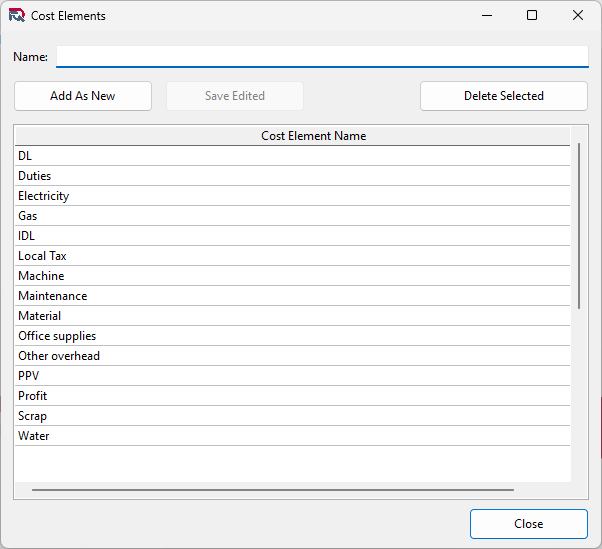
Cost Elements are represented by a name of the element,
there is no additional description. To create a new Cost
Element type the name of the element into the name field and
click on the Add As New button.
You can also modify an existing element from the list, edit it
and clicking on the Add As New button you can save it as a new
element.
Editing an existing Cost Element
To edit an existing element, select it from the list of
elements and double click on it. The name of the element will
appear in the name field. Change it as needed then click on
the Save Edited button.
Note! The name of the cost element will change in all
quotation regardless if the actual status of the quote. So
previous price calculations will change as well. Only change
cost element names if they are not changing the meaning in the
calculation. Eg.: changing from machine cost to labour cost
would be confusing and incorrect.
Deleting a Cost Element
To delete a cost element, select it from the list of
Cost Elements then click on the Delete Selected. If the Cost
Element is not used in any Calculation model the element will
be deleted, otherwise the application will not allow to delete
the element.